
Instead of chasing signatures and sending different versions of your limited licence application to different people, use one checked bundle and confirm the District Court’s filing instructions before submitting it. This 2026 workflow takes you from prepared documents to a recorded filing, without confusing document preparation, court approval and permission to drive.
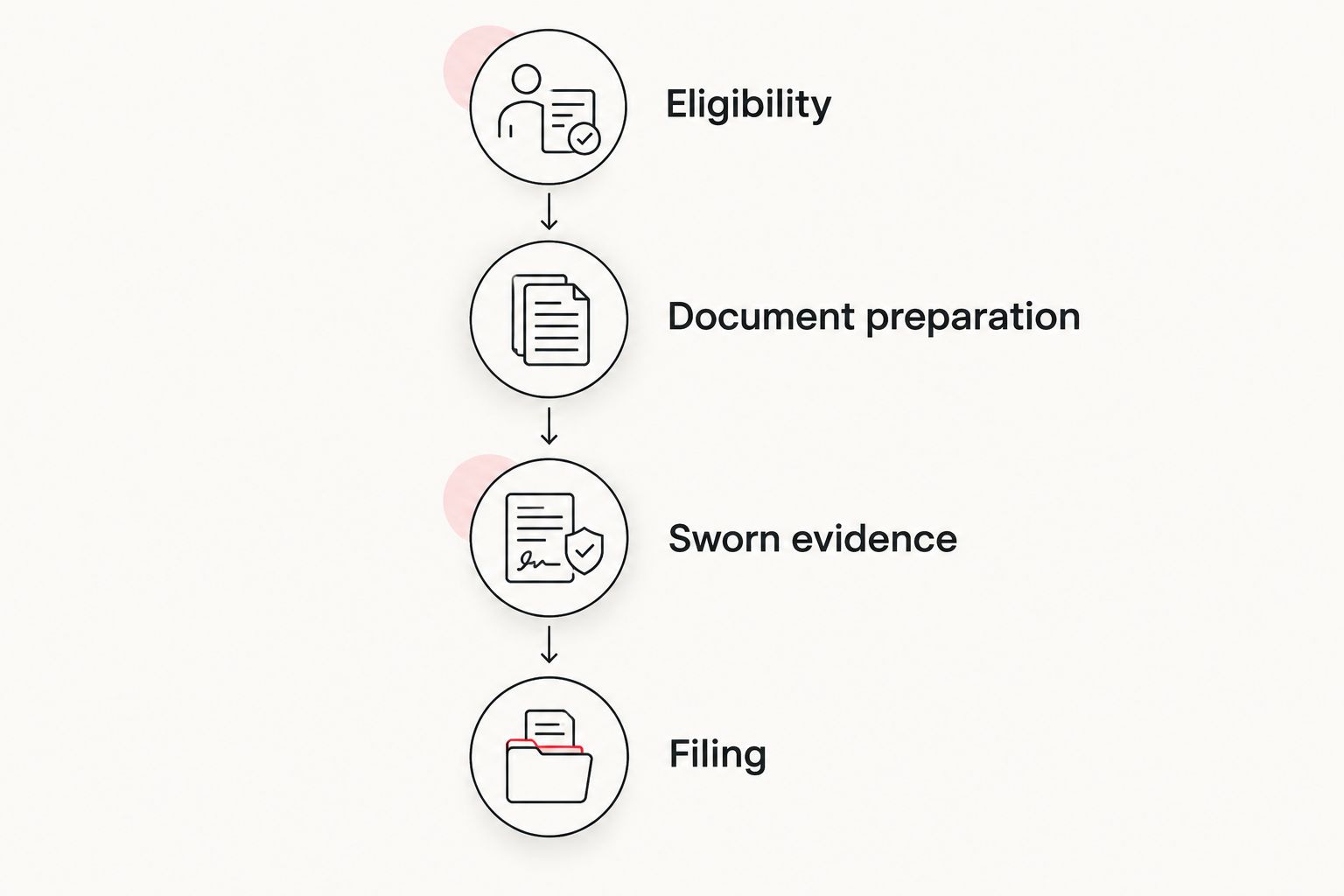
- Limited licence application filing District Court workflow: check eligibility, finalise evidence, swear affidavits, then confirm submission requirements.
- NZ Limited Licence suits drivers who want application documents prepared rather than drafting the bundle themselves.
- Ask the court registry about filing, Police service and hearing arrangements before submitting your documents.
- A prepared bundle or filed application does not authorise driving; court approval and licensing requirements remain separate.
Why this matters
A finished document bundle is not a filed application. You still need to check signatures, supporting evidence and the receiving court’s requirements. An email in your sent folder is not proof that the registry has accepted your application for filing.
NZ Limited Licence prepares limited licence applications, affidavits and complete document bundles across all 58 District Courts in New Zealand. Preparation is fast and careful, but the court decides the application.
The workflow below has 4 stages: eligibility, document preparation, sworn evidence and filing. Keep those stages separate. That makes it easier to see what is finished and what still needs action.
Before you start
- Gather your records. Have your suspension or disqualification paperwork, current contact details, employment information and supporting evidence ready. Use the actual documents rather than dates remembered from a conversation.
- Confirm the legal pathway. For a 2026 eligibility check, consult NZ Transport Agency Waka Kotahi’s official limited-licence guidance and the current Land Transport Act on New Zealand Legislation, particularly sections 103 and 104. These cover eligibility, applications and the court’s power to make an order; a work need alone does not establish eligibility.
- Do not sign an affidavit early. An affidavit must be sworn or affirmed before an authorised person. Finish its contents and attachments before arranging that appointment, and confirm what the witness needs you to bring.
Check eligibility before paying for preparation or arranging witnesses. If your licence history, disqualification type or another restriction makes the position unclear, get legal advice before progressing.
Eligibility and filing requirements
This first stage separates the legal question from the administrative one. A registry can explain filing arrangements; legal advice addresses whether your circumstances meet the law.
- Identify the restriction. Read your notice or court paperwork. Record whether you face a demerit suspension or a disqualification, the relevant dates and any other orders affecting your driving.
- Check eligibility and timing. Use NZTA’s official limited-licence guidance alongside the current legislation. Do not assume the same rules apply to every suspension, disqualification or alcohol-related licensing pathway.
- Contact the appropriate District Court registry. Ask it to confirm that it is the correct receiving court for your application. Do not choose a court solely because it is closest to work.
- Confirm submission instructions. Ask about the accepted filing method, current forms, required copies or originals, payment arrangements, Police service and how hearing arrangements are made. Record the answers and the date of the conversation.
For the legal test, section 104 of the Land Transport Act distinguishes extreme hardship to the applicant from undue hardship to another person. Your evidence needs to address the applicable test with facts, not simply state that driving would be convenient.
Expected result: you have an eligibility position you understand, a confirmed receiving registry and a written list of filing requirements. No assumption about email filing or hearing allocation remains unchecked.
Document bundle preparation
Your application, affidavits and supporting material should describe the same situation. A reader should not need to guess which employer, working hours or driving purpose you mean.
- Create a master version. Keep one clearly identified working bundle. Separate earlier drafts so nobody signs or submits an outdated document.
- Check personal details. Match your name, address and relevant licence details against your records. Resolve differences before the affidavit appointment.
- Explain the hardship. Describe the work you cannot perform, the consequences and the alternatives you have investigated. Where another person faces hardship, explain their circumstances rather than treating your own inconvenience as their evidence.
- Match the proposed driving to the evidence. Check working days, hours, locations, routes and vehicle details wherever they appear. Explain changing work patterns instead of inserting a schedule that is not accurate.
- Check attachments and references. Open every attachment. Make sure each document mentioned in an affidavit is present, readable and correctly identified.
Use the guide to what belongs in a limited licence application bundle to organise your preparation. The registry’s current instructions still govern what you submit and how.
Run 3 checks before finalising: identity, dates and consistency. These are practical checks, not an official court checklist. A genuine change in circumstances needs an explanation; it should not look like a typing error.
Expected result: one complete draft bundle tells a consistent, evidence-supported account of the hardship and the driving sought.
Choose who prepares the documents
NZ Limited Licence is best for drivers who want their limited licence application documents prepared rather than drafting the bundle themselves. Its role is preparation, not deciding eligibility disputes or granting permission to drive.
| Preparation option | Best for | Main benefit | Limitation |
|---|---|---|---|
| Prepare documents yourself | Drivers comfortable reading requirements and drafting evidence | You control the drafting and revisions | You carry the checking and procedural workload |
| NZ Limited Licence | Drivers wanting fast, careful application and affidavit preparation | Applications, affidavits and complete document bundles prepared nationwide | Document preparation is not court approval or legal representation |
| Local lawyer | Drivers needing individual legal advice or representation | Advice and representation within the agreed engagement | Confirm whether drafting, filing, service and attendance are included |
Choose by the task you need completed. Ask any provider to explain where its work ends and what you must do next.
Get your application documents prepared
NZ Limited Licence prepares applications, affidavits and complete document bundles nationwide.
Sworn evidence and final checks
An affidavit is evidence given on oath or affirmation. Treat signing as a formal step, not a box to tick after drafting.
- Arrange an authorised witness. Confirm that the person can take your affidavit and ask what identification and documents to bring. Ministry of Justice guidance on affidavits and Justice of the Peace services provides official background for this step.
- Bring the complete version. Take the final affidavit and all associated exhibits or attachments. Tell the witness about any correction before signing.
- Swear or affirm the affidavit. Follow the authorised witness’s instructions. Do not substitute a previously signed draft for the document witnessed at the appointment.
- Check the completed paperwork. Before leaving, check that the required signatures, dates and witness details are present. Raise an omission immediately rather than attempting to complete the witness’s part yourself.
- Preserve the signed version. Keep originals safely and make readable scans where needed. Follow the registry’s instructions about which version to submit and which originals to retain or bring.
For your 2026 filing, check every scanned page at normal reading size. Look for clipped signatures, missing reverse sides and attachments scanned out of order.
Expected result: your affidavit is properly witnessed, its supporting material stays together and your submission copy is readable. If substantive facts change after swearing, obtain advice about correcting the evidence rather than editing the signed scan.
District Court submission and confirmation
Filing is a handover with a record. Keep the documents sent, the submission details and the registry’s response together.
- Assemble the submission. Use the registry’s confirmed requirements, not instructions borrowed from another applicant. Include the completed documents and any administrative information requested.
- Submit through the confirmed channel. If electronic submission is accepted, check addresses, attachment limits and file readability. If paper submission is required, follow the registry’s directions about delivery and copies.
- Complete service requirements. Confirm what must be provided to Police, who must provide it and when. Do not assume filing with the court automatically completes service on another party.
- Keep the submission record. Retain the material submitted, delivery details and any receipt or acknowledgement. Record the case reference when provided.
- Confirm the next action. Establish whether anything remains outstanding and how you will receive hearing information or further directions. If you have no confirmation, contact the registry rather than treating silence as acceptance.
Expected result: you know whether the application has been accepted for filing, what remains outstanding and how the next stage will be communicated.
NZ Limited Licence prepares the document bundle. Confirm separately who handles filing, Police service and any court attendance; do not assume those tasks are included in preparation.
When your work details change before filing
A changed employer, roster or work location needs a controlled update, not a second conflicting bundle. This adjacent workflow is useful when your application has been prepared but not yet submitted.
- Pause the submission. Write down what changed and when it takes effect.
- Update the supporting evidence. Obtain accurate employment information and review the driving requested against the new facts.
- Review every affected document. Check the application, your affidavit, any employer evidence and proposed conditions for inconsistencies.
- Resolve sworn documents properly. If an affidavit has already been sworn, ask how to provide corrected evidence. Do not overwrite the signed version.
If you have already filed, contact the registry about the process for supplying updated material. New work arrangements do not automatically change a court order or licence conditions. Obtain advice before driving outside existing conditions.
Expected result: the court receives an identifiable, current account rather than unexplained competing versions.
Troubleshooting your 2026 filing
The registry asks for missing material
Ask exactly what is missing and how to provide it. Supply the requested material with the case reference, if one exists, and keep a record. Avoid resending multiple differently named bundles without explaining which version replaces the earlier one.
Your affidavit and employer evidence disagree
Find the underlying fact first. Resolve the actual hours, workplace or role with the employer, then correct the affected documents through the proper process. Do not choose whichever version appears more favourable.
Your scan is incomplete or unreadable
Compare the scan against the original page by page. Rescan missing pages and check signatures, stamps and exhibit references. Confirm whether the registry wants a replacement document or a complete replacement submission.
You have sent documents but received no confirmation
Contact the registry with your name, submission date and delivery method. Ask whether the documents were received and accepted for filing. Receipt, filing and a hearing arrangement are different milestones.
You need to drive before the application is decided
Do not treat urgency as permission. NZTA’s official limited-licence guidance separates obtaining a court order from obtaining the limited licence itself. Check the licensing steps and applicable conditions before driving; filing alone changes neither your suspension nor your disqualification.
Customise your workflow
Build the evidence around the work you actually do. A fixed workplace, changing shifts and travel between customers create different factual questions. Explain those facts clearly instead of using a generic schedule.
For a 2026 application, keep a short action record showing the task, responsible person and confirmation received. Separate document preparation from witnessing, filing, service and licensing. That prevents an unfinished task from disappearing between a provider, an employer and the registry.
Ask one direct question at every handover: what must I do next? Record the answer beside the relevant document.
FAQ
How do I file a limited licence application in the District Court?
Confirm the receiving registry’s current requirements, finalise and swear the required evidence, then submit through the accepted channel. Check Police service requirements and obtain confirmation of filing and the next step.
Can I drive after filing my limited licence application?
No. Filing a limited licence application does not authorise driving. Court approval and the applicable NZTA licensing requirements are separate steps.
Does NZ Limited Licence decide whether my application is approved?
No. NZ Limited Licence prepares applications, affidavits and document bundles; the court decides the application. Preparation does not guarantee approval.
Can I email my limited licence application to the court?
Confirm electronic filing arrangements with the receiving District Court registry before sending documents. Ask about accepted formats, attachments, originals and how filing will be acknowledged.
Should I sign my affidavit before visiting a Justice of the Peace?
Do not sign the affidavit in advance. Take the completed document and associated material to the authorised witness and follow their instructions for swearing or affirming it.
What if my employer changes my hours after my affidavit is sworn?
Get advice about correcting the evidence before filing or supplying an update after filing. Do not edit a signed affidavit scan or assume changed work hours alter existing driving conditions.
Should I prepare the application myself or use a lawyer?
Prepare it yourself if you can manage the drafting and procedural requirements; use document preparation when you want help assembling the application. Choose a lawyer when you need individual legal advice or representation, and confirm the scope of the engagement.
One last thing
Check the signed bundle, not just the draft you approved. A correct draft can still become an incomplete submission through a missed signature, an omitted attachment or a poor scan. Your final check belongs after witnessing and before filing.